
Plan the whole drive, not just one pair
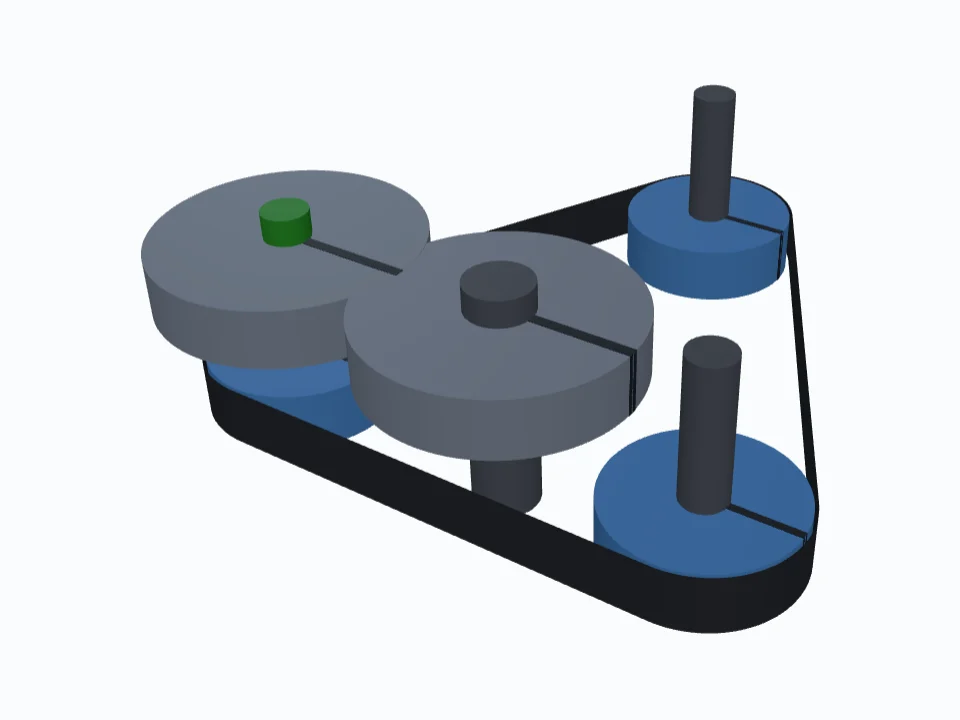
Stack levels along parallel shafts, each one a timing belt, a roller chain or a gear mesh. Put the pulleys, sprockets and gears where they need to go, and the planner routes every belt and chain round them to whole teeth or links, and works out the speed, direction and ratio of every shaft.
What it works out
Levels along the shafts
Each level is a plane at its own height holding one kind of part: a timing belt, a roller chain or meshing gears. Parts on one shaft turn together, so one level drives the next.
Any number of wheels in a loop
Put pulleys or sprockets anywhere and one belt or chain routes round them all, inside the loop or on its back. Move a shaft and it reroutes.
Whole teeth and links
Every belt's and chain's length to the whole tooth or link, the slack where a loop isn't whole as drawn, and an Auto-fix where there's a cure.
Idlers and tensioners
Idlers fixed in place or sprung on an arm or in a slot, with the travel they have left.
Speed, direction and ratio
Every shaft's rpm, which way it turns and its ratio from the input, worked out again after every change.
Teeth in mesh
The wrap on every pulley and sprocket and the whole teeth engaged, with a warning where there are too few.
The specs our other tools use
Belt families and pitches as the Timing Pulley Generator offers them, chain families and sizes as the Sprocket Designer does, and the Gear Designer's modules and tooth forms.
2D and 3D
Drag parts on the plane and watch the belts and chains reroute, then turn the whole train in 3D.
The Report
Each level's belt and chain lengths, part locations, speeds and teeth engaged, as an Excel workbook with a tab per level, or as CSV.
Good to know
Is it free?
Yes. Planning is free, and so is the Report. Sign in to your account to download it.
How is it different from the belt and chain length calculators?
The calculators work out one pair: two pulleys or two sprockets. The planner takes any number of wheels in a loop, idlers, and several belts, chains and gear meshes on shared shafts, and follows the speed through all of them.
Does it make the 3D files?
No. The planner lays out the drive and gives you the Report; it doesn't make part files. The Timing Pulley Generator, Sprocket Designer and Gear Designer make the pulleys, sprockets and gears as STL and STEP.
Which belts, chains and gears does it know?
Timing belts in the HTD, GT, STD, T, AT, imperial and RPP families, one- or two-sided; ANSI, ANSI heavy, ISO 606 B-series, bicycle, motorcycle and go-kart roller chains; and gears with the Gear Designer's modules and tooth forms.